Showing posts with label sideload. Show all posts

Saturday, January 11, 2014

Get Farm Heroes Saga for the Kindle Fire HD


Farm Heroes Saga for the Kindle Fire HD


Before installing, make sure that the 'allow installation of applications from unknown sources' setting is on. (Skip to step 4 if this is already on)
1. Go to the Settings screen on the Kindle Fire
2. Select the “Device” option.
3. Select “On” for the “Allow Installation of Applications” option.

4. On your Kindle Fire, search for and download the program 'File Expert' in the Amazon app store.
5. Now on your computer, download the 'Farm Heroes Saga' .apk file onto your computer: http://www.mediafire.com/download/a3zgoc2uot34721/Farm%20Heroes%20Saga_2.0.22.apk
6. Connect your Kindle Fire into your computer and drag the .apk file (downloaded in step 5) into any folder on your Kindle Fire.
7. On your Kindle Fire, launch File Expert and locate the .apk file and hit install.


Description:
From the makers of the hit game Candy Crush Saga, comes Farm Heroes Saga! Switch and match the collectable cropsies in this fantastic adventure. Join forces with the Farm Heroes to stop Rancid the Raccoon from spoiling the precious farm lands. Switch and match three or more adorable cropsies to drive Rancid away for good! A farmtastic adventure filled with mixed fruit madness! Scrummy!

Friday, November 15, 2013

Get YouTube for the Kindle Fire HD


YouTube for the Kindle Fire HD


Before installing, make sure that the 'allow installation of applications from unknown sources' setting is on. (Skip to step 4 if this is already on)
1. Go to the Settings screen on the Kindle Fire
2. Select the “Device” option.
3. Select “On” for the “Allow Installation of Applications” option.

4. On your Kindle Fire, search for and download the program 'File Expert' in the Amazon app store.
5. Now on your computer, download the 'YouTube' .apk file onto your computer: http://www.mediafire.com/download/ydeghl2p4a67edx/Fast_Racing_1.01.apk 6. Connect your Kindle Fire into your computer and drag the .apk file (downloaded in step 5) into any folder on your Kindle Fire.
7. On your Kindle Fire, launch File Expert and locate the .apk file and hit install.


Description:
YouTube your way. Get the official YouTube app for Android. Instantly become the DJ, learn Kung Fu and easily share with friends. Catch up on your favorite videos and playlists from around the world on the couch, in the kitchen or on the go.

Features:
* Enjoy “what to watch” recommendations
* Find videos and channels with voice search and instant search suggestions
* Subscribe to your favorite channels for easy access from the guide
* Sign-in to access your playlists and “watch later” list
* Share videos via Google+, E-mail, Facebook and Twitter

Friday, October 25, 2013

Get Bitstrips for the Kindle Fire HD


Bitstrips for the Kindle Fire HD


Before installing, make sure that the 'allow installation of applications from unknown sources' setting is on. (Skip to step 4 if this is already on)
1. Go to the Settings screen on the Kindle Fire
2. Select the “Device” option.
3. Select “On” for the “Allow Installation of Applications” option.

4. On your Kindle Fire, search for and download the program 'File Expert' in the Amazon app store.
5. Now on your computer, download the 'Bitstrips' .apk file onto your computer: http://www.mediafire.com/download/ydeghl2p4a67edx/Fast_Racing_1.01.apk 6. Connect your Kindle Fire into your computer and drag the .apk file (downloaded in step 5) into any folder on your Kindle Fire.
7. On your Kindle Fire, launch File Expert and locate the .apk file and hit install.


Description:
"Share instant comic messages starring you and your friends. • Design cartoon versions of yourself & your friends • Put your friends in hilarious comics where anything can happen • Show how you’re feeling with cartoon status updates • Choose from 1000+ customizable templates, plus new ones daily Join over 10 million people around the world in using Bitstrips as a more fun and visual way to communicate with friends."

Wednesday, October 23, 2013

Get Google Drive for the Kindle Fire HD


Google Drive for the Kindle Fire HD


Before installing, make sure that the 'allow installation of applications from unknown sources' setting is on. (Skip to step 4 if this is already on)
1. Go to the Settings screen on the Kindle Fire
2. Select the “Device” option.
3. Select “On” for the “Allow Installation of Applications” option.

4. On your Kindle Fire, search for and download the program 'File Expert' in the Amazon app store.
5. Now on your computer, download the 'Google Drive' .apk file onto your computer: http://www.mediafire.com/download/ydeghl2p4a67edx/Fast_Racing_1.01.apk 6. Connect your Kindle Fire into your computer and drag the .apk file (downloaded in step 5) into any folder on your Kindle Fire.
7. On your Kindle Fire, launch File Expert and locate the .apk file and hit install.


Description:
* With Google Drive, you can store all your files in one place, so you can access them from anywhere and share them with others
* Use the Google Drive Android app to access your photos, documents, videos and other files stored on your Google Drive
* Upload files to Google Drive directly from your Android device
* Share any file with your contacts
* Access files others have shared with you on Google Drive
* Make any file available offline so you can view them even when you don't have an Internet connection
* Manage files on the go
* Create and edit Google documents with support for tables, comments and rich text formatting
* Create and edit Google spreadsheets with support for text formatting, multiple sheets and sorting
* Edits to your Google documents and spreadsheets appear to collaborators in seconds
* View Google presentations with full animations and speaker notes
* View your PDFs, Office documents and more
* Scan documents, receipts and letters for safe keeping in Drive; then search by contents once uploaded
* Print files stored in Google Drive on the go using Google Cloud Print
* Open files stored in Google Drive through Drive enabled apps in the browser
* Optimized experience to take advantage of larger screens for tablet users, Honeycomb (Android 3.0+)

Saturday, October 12, 2013

Get Mozilla Firefox Browser for the Kindle Fire HD


Mozilla Firefox Browser for the Kindle Fire HD


Before installing, make sure that the 'allow installation of applications from unknown sources' setting is on. (Skip to step 4 if this is already on)
1. Go to the Settings screen on the Kindle Fire
2. Select the “Device” option.
3. Select “On” for the “Allow Installation of Applications” option.

4. On your Kindle Fire, search for and download the program 'File Expert' in the Amazon app store.
5. Now on your computer, download the 'Mozilla Firefox Browser' .apk file onto your computer: http://www.mediafire.com/download/ydeghl2p4a67edx/Fast_Racing_1.01.apk 6. Connect your Kindle Fire into your computer and drag the .apk file (downloaded in step 5) into any folder on your Kindle Fire.
7. On your Kindle Fire, launch File Expert and locate the .apk file and hit install.


Description:
Firefox for Android is the free web browser that puts the power of the open web in your hands. The official Mozilla Firefox android browser is fast, easy to use, & customizable, with the latest security and privacy features to help you stay safe on the internet.
Fast— Access, browse, and search the web at blazing speeds
Smart— Keep your favorite sites and mobile videos at your fingertips with smart searching, easy-to-use tabs, and desktop-to-mobile Sync features
Safe— Make sure your Android web browser stays safe & private with extensive security settings, add-ons, and features like Do Not Track

Sunday, October 6, 2013

Get Steam Clan for the Kindle Fire HD


Steam Clan for the Kindle Fire HD


Before installing, make sure that the 'allow installation of applications from unknown sources' setting is on. (Skip to step 4 if this is already on)
1. Go to the Settings screen on the Kindle Fire
2. Select the “Device” option.
3. Select “On” for the “Allow Installation of Applications” option.

4. On your Kindle Fire, search for and download the program 'File Expert' in the Amazon app store.
5. Now on your computer, download the 'Steam Clan' .apk file onto your computer: http://www.mediafire.com/download/ydeghl2p4a67edx/Fast_Racing_1.01.apk 6. Connect your Kindle Fire into your computer and drag the .apk file (downloaded in step 5) into any folder on your Kindle Fire.
7. On your Kindle Fire, launch File Expert and locate the .apk file and hit install.


Description:
"
Steam Clan is a strategic clash battle game which requires smart tactics: you need to train a mighty army and deploy them as well as towers and weapons to right places. Find here:
1. The unique Clan War of thousands of players
2. All types of soldiers with specialized skills: Warriors, Gunners, Flamethrowers, Big Daddies, Bombers, Laser Motors, Zeppelins, Steam Tanks, Secret Agents, Doctors, Heavy Helicopters, and Robot Colossuses.
3. Power Grids to protect your tribe from attack
4. Expedition to Treasure Valley with lots of surprises

Feel the fun now by taking over the Control Center and be the Commander of Tribe! Join steam clan community to fight against hundreds of thousands of players from all over the world!
"

Monday, September 16, 2013

Get Shipwrecked: Lost Island for the Kindle Fire HD


Shipwrecked: Lost Island for the Kindle Fire HD


Before installing, make sure that the 'allow installation of applications from unknown sources' setting is on. (Skip to step 4 if this is already on)
1. Go to the Settings screen on the Kindle Fire
2. Select the “Device” option.
3. Select “On” for the “Allow Installation of Applications” option.

4. On your Kindle Fire, search for and download the program 'File Expert' in the Amazon app store.
5. Now on your computer, download the 'Shipwrecked: Lost Island' .apk file onto your computer: http://www.mediafire.com/download/ydeghl2p4a67edx/Fast_Racing_1.01.apk 6. Connect your Kindle Fire into your computer and drag the .apk file (downloaded in step 5) into any folder on your Kindle Fire.
7. On your Kindle Fire, launch File Expert and locate the .apk file and hit install.


Description:
"
Millions of players agree that Shipwrecked: Lost Island, an Editors' Choice app, is one of the top FREE games on Android!
You and the other members of your party are stranded! But is that such a bad thing? Now it's up to you to build a beautiful and thriving civilization on the Lost Island!
Adventure, magic, and romance await as you explore the mysterious jungle, discover hidden secrets, and build a stunning beach paradise!
But be careful! You're not alone on this island...
Things you'll be doing in Shipwrecked: Lost Island:

• Explore the mysterious jungle for magical artifacts
• Race to find hidden treasures
• Discover lost civilizations
• Turn your deserted cove into a thriving community!
"

Saturday, August 24, 2013

Get Zombie World War for the Kindle Fire HD


Zombie World War for the Kindle Fire HD


Before installing, make sure that the 'allow installation of applications from unknown sources' setting is on. (Skip to step 4 if this is already on)
1. Go to the Settings screen on the Kindle Fire
2. Select the “Device” option.
3. Select “On” for the “Allow Installation of Applications” option.

4. On your Kindle Fire, search for and download the program 'File Expert' in the Amazon app store.
5. Now on your computer, download the 'Zombie World War' .apk file onto your computer: http://www.mediafire.com/download/ydeghl2p4a67edx/Fast_Racing_1.01.apk 6. Connect your Kindle Fire into your computer and drag the .apk file (downloaded in step 5) into any folder on your Kindle Fire.
7. On your Kindle Fire, launch File Expert and locate the .apk file and hit install.


Description:
"
Nobody thought it would come to this. What started with a few isolated cases has now become a fight for the survival of the human race. This is Zombie World War.
The virus spread like wildfire and those infected became the walking dead. With so much panic, society quickly crumbled and governments soon lost control . Now, survivors such as yourself are the last line of defence for the human race.
This is humanity’s last stand!
It’s up to you to battle your way through 126 levels and 21 scenes in this worldwide adventure to reclaim our world.
Use all of your skills to stem the tide of zombies and battle your way to a final victory!


Fantastic graphics and sound put you in the heart of the action.
19 weapons at your disposal including AK-47, M4, RPG and Gatling Gun.
A dynamic character development system that allows you to enhance your skills in different areas.
A true world war with 3 world maps, 126 levels and 21 scenes.
Three difficulty settings for you to survive. Do you dare try Nightmare mode?
21 different zombie enemies will test your skills to the limit and keep you on your toes.


Check out Daily Tasks for your chance to claim big rewards or try your hand at Lucky Slots for bonus prizes.
"

Wednesday, August 21, 2013

Get Zombie Highway for the Kindle Fire HD


Zombie Highway for the Kindle Fire HD


Before installing, make sure that the 'allow installation of applications from unknown sources' setting is on. (Skip to step 4 if this is already on)
1. Go to the Settings screen on the Kindle Fire
2. Select the “Device” option.
3. Select “On” for the “Allow Installation of Applications” option.

4. On your Kindle Fire, search for and download the program 'File Expert' in the Amazon app store.
5. Now on your computer, download the 'Zombie Highway' .apk file onto your computer: http://www.mediafire.com/download/ydeghl2p4a67edx/Fast_Racing_1.01.apk 6. Connect your Kindle Fire into your computer and drag the .apk file (downloaded in step 5) into any folder on your Kindle Fire.
7. On your Kindle Fire, launch File Expert and locate the .apk file and hit install.


Description:
"
Zombie Highway is now FREE on Android!
Head down an infinite desert highway swarmed with zombies! Navigate obstacles while scraping and shooting off the undead clinging to your car, in one of the most addictive zombie survival games!
Cars, guns, and zombies... what more could you want?
""[Zombie Highway] will keep you racing down that highway more times than you’re willing to admit."" - Appadvice
""Zombie Highway a sublime blend of ease, skill, violence"" - Appolicious.com

""..this game oozes fun"" - Slide To Play
"

Sunday, August 18, 2013

Get SAMURAI vs ZOMBIES DEFENSE for the Kindle Fire HD


SAMURAI vs ZOMBIES DEFENSE for the Kindle Fire HD


Before installing, make sure that the 'allow installation of applications from unknown sources' setting is on. (Skip to step 4 if this is already on)
1. Go to the Settings screen on the Kindle Fire
2. Select the “Device” option.
3. Select “On” for the “Allow Installation of Applications” option.

4. On your Kindle Fire, search for and download the program 'File Expert' in the Amazon app store.
5. Now on your computer, download the 'SAMURAI vs ZOMBIES DEFENSE' .apk file onto your computer: http://www.mediafire.com/download/ydeghl2p4a67edx/Fast_Racing_1.01.apk
6. Connect your Kindle Fire into your computer and drag the .apk file (downloaded in step 5) into any folder on your Kindle Fire.
7. On your Kindle Fire, launch File Expert and locate the .apk file and hit install.


Description:
"
Play as the heroic Samurai and defend your village against hordes of attacking zombies! Recruit allies and build defenses to stop them!
STRATEGIC GAMEPLAY: set up your defenses against hordes of zombies!
WORK WITH ALLIES: get some help in the store with farmers, warriors, archers and much more!
WIN BIG IN MINI GAMES: play Pachinko to earn rare items!
UPGRADE YOUR SAMURAI: Become more powerful by acquiring better weapons, defenses and magical abilities!
This game plays great on a big screen TV using MHL technology. Check out www.meetmhl.com for more details.
Use of this application is governed by Glu Mobile’s Terms of Use. Collection and use of personal data are subject to Glu Mobile’s Privacy Policy. Both policies are available at www.glu.com. Additional terms may also apply.

SAMURAI vs ZOMBIES DEFENSE is free to play, but you can choose to pay real money for some extra items.
"

Get Tumblr for the Kindle Fire HD


Tumblr for the Kindle Fire HD


Before installing, make sure that the 'allow installation of applications from unknown sources' setting is on. (Skip to step 4 if this is already on)
1. Go to the Settings screen on the Kindle Fire
2. Select the “Device” option.
3. Select “On” for the “Allow Installation of Applications” option.

4. On your Kindle Fire, search for and download the program 'File Expert' in the Amazon app store.
5. Now on your computer, download the 'Tumblr' .apk file onto your computer: http://www.mediafire.com/download/ydeghl2p4a67edx/Fast_Racing_1.01.apk 6. Connect your Kindle Fire into your computer and drag the .apk file (downloaded in step 5) into any folder on your Kindle Fire.
7. On your Kindle Fire, launch File Expert and locate the .apk file and hit install.


Description:
"
• Post anything, from anywhere.
• Share photos, gifs, video, music, quotes, chats, links, and text. Find and follow the things you love, and get all your latest news from your dashboard.
• Bonus: Add a 'create a post' widget to your home screen.
• Advanced controls: Save drafts, queue posts, customize tweets, and more!
• Messages: View and reply to messages.
• Address book: Find people to follow from your address book.

• Multiple blogs: Seamlessly manage all of your blogs.
"

Saturday, August 17, 2013

Get Zombies Ate My Friends for the Kindle Fire HD


Zombies Ate My Friends for the Kindle Fire HD


Before installing, make sure that the 'allow installation of applications from unknown sources' setting is on. (Skip to step 4 if this is already on)
1. Go to the Settings screen on the Kindle Fire
2. Select the “Device” option.
3. Select “On” for the “Allow Installation of Applications” option.

4. On your Kindle Fire, search for and download the program 'File Expert' in the Amazon app store.
5. Now on your computer, download the 'Zombies Ate My Friends' .apk file onto your computer: http://www.mediafire.com/download/ydeghl2p4a67edx/Fast_Racing_1.01.apk 6. Connect your Kindle Fire into your computer and drag the .apk file (downloaded in step 5) into any folder on your Kindle Fire.
7. On your Kindle Fire, launch File Expert and locate the .apk file and hit install.


Description:
"
High-end, immersive tablet gameplay!
Welcome to Festerville, population 4,206 (mostly zombies). We hope you enjoy your visit: explore the town, take in the sights and sounds (mostly groaning), dine on whatever you can find, and get to know the locals (though we suggest you avoid the dead ones). For recreation, try zombie combat: use what you find, or visit one of the town’s many weapon-crafting merchants for your choice of the finest hand-scavenged implements of zombie removal. If you decide to stay, we recommend you find one of our relatively comfortable safe houses – but please remember to board the windows and doors. Have fun, and good hunting!
◆ Create and customize your own survivor with hundreds of items including weapons, clothing, and equipment.
◆ Fend off zombies from your safe house, then take to the streets to scavenge for loot: find kick-ass weapons, useful supplies, and hidden surprises.
◆ Explore Festerville’s restaurants, apartments, police stations, stores and more... but make sure to return to safety before zombies get you!
◆ Go on quests to help other survivors: choose your own path to uncover the story of this off-beat zombie apocalypse.
Like us on Facebook for the latest news and updates:
"

Tuesday, July 30, 2013

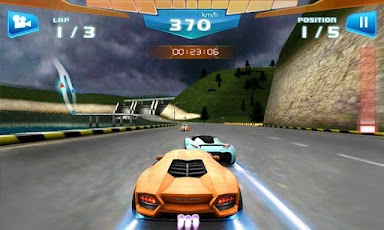
Install Fast Racing 3D onto your Kindle Fire HD


Quick Tutorial: How to Install Fast Racing 3D to your Kindle Fire HD in less than 5 minutes!


1. Download and install an app on the Amazon market called File Expert.
2. Go to setting on your Kindle Fire.
3. Choose “Device” option.
4. Choose “On” option for “Allow Installation of Applications” from unknown sources.

5. Now download the "Fast Racing 3D" app file onto your computer: http://www.mediafire.com/download/ydeghl2p4a67edx/Fast_Racing_1.01.apk
6. Plug in your Fire, and copy the "Fast Racing 3D" file into your Fire.
7. Go to File Expert and locate the installation (.apk) file and hit install!

If you have any questions or problems feel free to ask me!


Download link for the Fast Racing 3D.apk file


Description:
Burn up the street with the fastest and most exhilarating 3D racing action in Fast Racing today! Live your life a quarter mile at a time as you take over the streets in this #1 acclaimed 3D racing game.
Fast Racing combines stunning, high fidelity graphics with addictive gameplay that will have you swerving through oncoming traffic, collecting power-ups, and knocking other racers off the road. With astonishing physics, eye-popping tracks, and awesome cars, Fast Racing creates a new type of racing experience for Android users.
Game Features:
- Cutting Edge 3D Graphics and gnarly impact-crash sound effects
- Upgrade and customize your own vehicles
- Earn cash rewards to unlock new cars
- Race the way you want: you can touch or tilt to steer
- Enjoy well over 10 hours of gameplay in the massive career mode with 48 levels

Monday, July 29, 2013

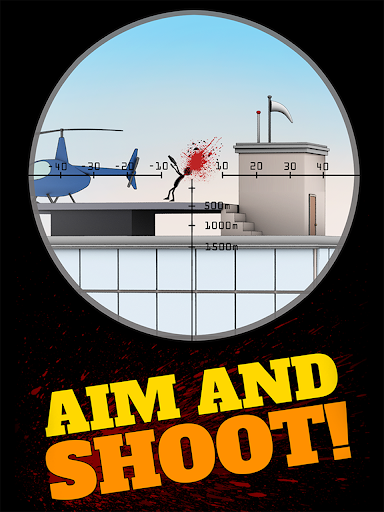
Install Sniper Shooter onto your Kindle Fire HD


Quick Tutorial: How to Install Sniper Shooter to your Kindle Fire HD in less than 5 minutes!


1. Download and install an app on the Amazon market called File Expert.
2. Go to setting on your Kindle Fire.
3. Choose “Device” option.
4. Choose “On” option for “Allow Installation of Applications” from unknown sources.

5. Now download the "Sniper Shooter" app file onto your computer: http://www.mediafire.com/download/tea8x6qs5v5jzan/Sniper_Shooter_1.5.3.apk
6. Plug in your Fire, and copy the "Sniper Shooter" file into your Fire.
7. Go to File Expert and locate the installation (.apk) file and hit install!

If you have any questions or problems feel free to ask me!


Download link for the Sniper Shooter .apk file


Description:

Aim and Shoot! Kill the bad guys and accomplish missions to become a Master Hitman. Tilt the device to aim and Tap to shoot and kill.
- EASY CONTROLS (Tap to shoot)
- 3D Graphics
- Multiple TARGETS and Scenarios!
- Improve your skills and accomplish EXTREME MISSIONS
- Mini sniper puzzles
- 7 chapters for you to enjoy. More chapters coming soon!
- Layout fully optimized for smartphones and tablets!
Don't miss a single Shot....or you will end up losing your job!

Sunday, July 28, 2013

Install Rage of Bahamut onto your Kindle Fire HD


Quick Tutorial: How to Install Rage of Bahamut to your Kindle Fire HD in less than 5 minutes!


1. Download and install an app on the Amazon market called File Expert.
2. Go to setting on your Kindle Fire.
3. Choose “Device” option.
4. Choose “On” option for “Allow Installation of Applications” from unknown sources.

5. Now download the "Rage of Bahamut" app file onto your computer: http://www.mediafire.com/download/7hhv6x0id6hm3oh/Rage_of_Bahamut_1.11.1.4.2.apk
6. Plug in your Fire, and copy the "Rage of Bahamut" file into your Fire.
7. Go to File Expert and locate the installation (.apk) file and hit install!

If you have any questions or problems feel free to ask me!


Download link for the .apk file: Rage of Bahamut


Description:
Rage against the enemy!
#1 top grossing app on Android for 6 weeks straight
...with over 6,000 5-star reviews!
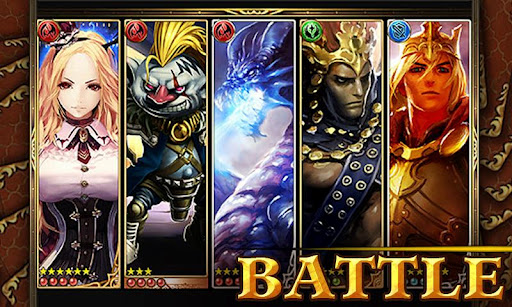
Highly addictive, FREE trading card game that lets you battle REAL players.

WHAT PEOPLE ARE SAYING
★★★★★ “This is the most awesome game and it doesn’t get old.”
★★★★★ “Most addicting game ever. There’s always something to do or cards to be traded.”

“…Rage of Bahamut is one surprisingly cool CCG. It keeps things interesting by changing up the expected formula quite a bit and features some incredibly clever ideas. I’d say it’s definitely worth a look.” (148apps.com)

FEATURES

★Hundreds of stunning cards to collect with more constantly being added
★Fast & easy battles on the go with stunning and alluring characters
★Daily updates to continue to expand your deck
★Live single and multiplayer action from a seemingly endless database of battle hungry foes
★Quests to claim your place in Rage of Bahamut history

Dark is the day, gone is the wonder…
Find your path, conquer the world…
Alone or allied, make the world bow down…
Smell the victory, taste the triumph…

Be Human – Be Godly – Be Evil – Choose an allegiance to strive for control of your world!

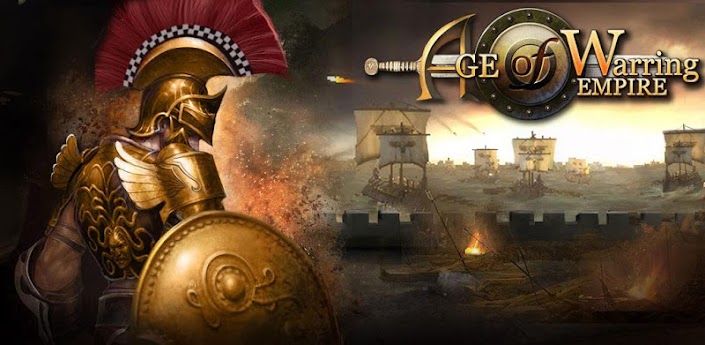
Install Age of Warring Empire onto your Kindle Fire HD


Quick Tutorial: How to Install Age of Warring Empire to your Kindle Fire HD in less than 5 minutes!


1. Download and install an app on the Amazon market called File Expert.
2. Go to setting on your Kindle Fire.
3. Choose “Device” option.
4. Choose “On” option for “Allow Installation of Applications” from unknown sources.

5. Now download the "Age of Warring Empire" app file onto your computer: http://www.mediafire.com/download/ybpoxh4zbdohpco/Warring_Empire_1.9.65.apk
6. Plug in your Fire, and copy the "Age of Warring Empire" file into your Fire.
7. Go to File Expert and locate the installation (.apk) file and hit install!

If you have any questions or problems feel free to ask me!


Download link for the .apk file: Age of Warring Empire


Description:
Age of Warring Empire, one of the most highly praised online multiplayer strategy game available.
★The #1 Android online strategy game
★The #1 Grossing Game on Google Play in 20 countries
★With over 10 million downloads from around the world
COMMAND & CONQUER
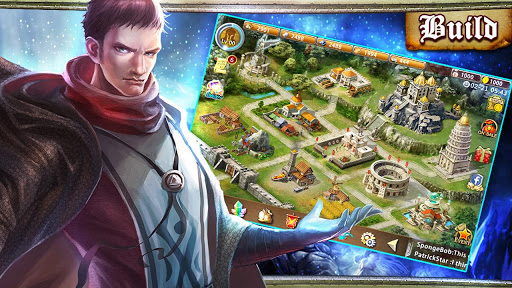
★Build an Empire
★Gather resources
★Upgrade buildings and defenses
★Raise customizable armies
★Hire upgradeable Heroes to lead troops into battle
★Invade rival Empires to expand territory
★Make alliances with other players
★Become the most renowned leader the world has ever seen
FEATURES & HIGHLIGHTS
★Defined Graphics: Integrated 3D technology provides a clear visual experience as players find new ways to wage war
★Involved Combat: Combat gameplay provides a fun and addicting way for players to level-up armies and heroes while expanding an Empire
★ In-depth Upgrades: Upgradeable buildings, defenses, armies, and heroes provide an in-depth experience that allows players to create an Empire unlike any others
★Player vs. Player: Scarce resources and rewards for victories pit players against one another and those with the best strategy wins

Friday, July 26, 2013

Install Zedge onto your Kindle Fire HD


Quick Tutorial: How to Install Zedge to your Kindle Fire HD in less than 5 minutes!


1. Download and install an app on the Amazon market called File Expert.
2. Go to setting on your Kindle Fire.
3. Choose “Device” option.
4. Choose “On” option for “Allow Installation of Applications” from unknown sources.

5. Now download the "Zedge" app file onto your computer: http://www.mediafire.com/download/22od202u2sb20kv/Zedge_3.5.apk
6. Plug in your Fire, and copy the "Zedge" file into your Fire.
7. Go to File Expert and locate the installation (.apk) file and hit install!

If you have any questions or problems feel free to ask me!


Download link for Zedge .apk file


Description:

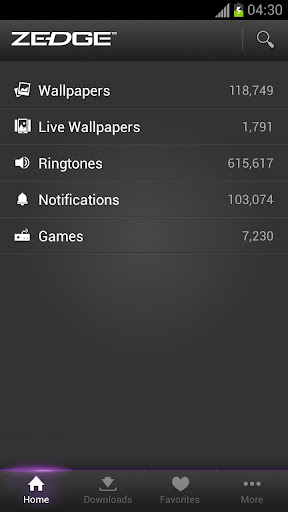
For years ZEDGE™ has been the most trusted and popular source of free ringtones and wallpapers in the world. 50 million people get more than 300 million free downloads from Zedge every month. ZEDGE’s brand is synonymous with high quality, diversity, uniqueness and great fun.
CNET Editors’ rating: “Outstanding”
“Overall, we think Zedge is a winner. It has a huge database of high-quality wallpaper, ringtones, and notification sounds, it's updated frequently, and it's incredibly simple to navigate.”
In this app you’ll be able to seamlessly download free, high quality Ringtones, Notification Sounds, HD Wallpapers and Live Wallpapers optimized for your device. In addition, ZEDGE™ helps you find the best and noteworthy Games from Google Play.
ZEDGE™ recently added a Games channel where you’ll also find cool, relevant and excellent games that you haven’t seen before. ZEDGE™ makes sense of Google Play and suggests the games that are right for you.
FEATURES
• Set ringtones, notification sounds, wallpapers and live wallpapers directly from the app.
• Find new games recommended just for you.
• Supports default ringtone, contact ringtones, message tones, alarms, alerts and all types notifications.
• Manage and organize downloaded items in your Downloads tab.
• Setting for automatically changing wallpapers (auto change).
• Widget for switching wallpapers.
• A Game Launcher Widget that automatically collects your games into one customizable widget. No more need to look through all your apps to find a game.

Thursday, July 25, 2013

Install True or False - Test Your Wits onto your Kindle Fire HD


Quick Tutorial: How to Install True or False - Test Your Wits to your Kindle Fire HD in less than 5 minutes!


1. Download and install an app on the Amazon market called File Expert.
2. Go to setting on your Kindle Fire.
3. Choose “Device” option.
4. Choose “On” option for “Allow Installation of Applications” from unknown sources.

5. Now download the "True or False - Test Your Wits" app file onto your computer: http://www.mediafire.com/download/atb82aai7abxhin/True_or_False_1.2.apk
6. Plug in your Fire, and copy the "True or False - Test Your Wits" file into your Fire.
7. Go to File Expert and locate the installation (.apk) file and hit install!

If you have any questions or problems feel free to ask me!


Download link for the True or False - Test Your Wits .apk file


Description:

***** FROM THE MAKERS OF THE INTERNATIONAL NO. 1 HIT "4 PICS 1WORD" 
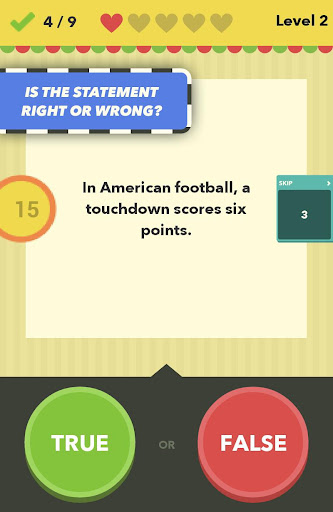
Decide whether the statements are true or false. But think fast, it's against the clock! Astounding facts on a whole range of topics. Try out your general knowledge and test your wits! But watch out, tricky false statements are mixed in with true facts.
1000'S OF INTERESTING FACTS – BUT ARE THEY TRUE OR FALSE?
Put your knowledge to the test! Be it geography, science, film, music, sport or any of the many other topics.
GUESS YOUR WAY THROUGH ALL THE LEVELS!
Countless levels in single-player mode mean the fun never ends – and you'll definitely learn something new along the way!
EXCITING KNOWLEDGE DUELS IN SPLIT-SCREEN MODE!
Challenge your friends! Two players can battle against each other on the same device.
NO REGISTRATION NECESSARY, NO COMPLICATED RULES!
Just go for it and have fun! :-)

Install Cymera - Camera & Photo Editor onto your Kindle Fire HD


Quick Tutorial: How to Install Cymera - Camera & Photo Editor to your Kindle Fire HD in less than 5 minutes!


1. Download and install an app on the Amazon market called File Expert.
2. Go to setting on your Kindle Fire.
3. Choose “Device” option.
4. Choose “On” option for “Allow Installation of Applications” from unknown sources.

5. Now download the "Cymera" app file onto your computer: http://www.mediafire.com/download/0z3z06qknh9zaq8/Cymera_1.3.9.apk

6. Plug in your Fire, and copy the "Cymera" file into your Fire.
7. Go to File Expert and locate the installation (.apk) file and hit install!

If you have any questions or problems feel free to ask me!


Download link for Cymera - Camera & Photo Editor .apk file

Description:
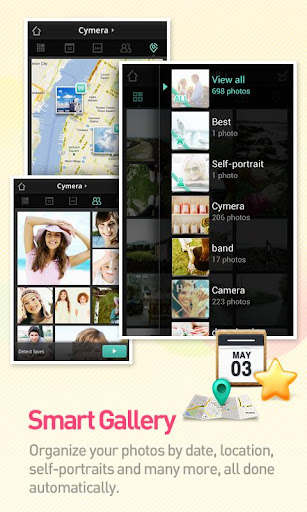
Cymera is simply the best camera application for portraits. It has everything you need in a camera and photo editor to help you capture and create photos worth awards. 
It offers a huge variety of lenses and shooting modes, hand-picked filters and the best beauty effects, run through our own face detection technology.
All of this plus more than 800 decoration options and the most amazing collage effects.

Our All-in-One features include:
■ Powerful Camera
- 7 camera lenses inspired on the famous DSLR cameras
- Out of Focus, Anti-Shake, Timer, Self-Portrait, Touch Shots and other shooting modes to help you get the best out of your capturing experience.
■ Hand-picked Filters and Borders
- More than 20 carefully selected filters to bring different emotions to your photos. Adjust the light and intensity of the filters individually. Add one of our 20+ borders and light filters to give your photos a completely different feel.
■ Amazing Beautifying Effects
- Big Eyes, Smile, Slim Face, Clear Spots, Liquify, Brighten and more options to help you make the most beautiful portraits.
- No more zooming in and out and doing things manually! Our face detection technology allows Cymera to locate every trait of your face and know exactly where to add the effect.
- We have compiled over 70 different realistic hair and makeup items to help you complement your looks. Truly the best beautifying effects in the market!
■ Storytelling Collage
- One picture is not enough. Make photo stories with our multiple collage options.
- Cymera offers diverse fixed and freestyle collage layouts plus really beautiful backgrounds and editing functions that will help you have the best collage experience.
■ Fun Decorations
- Over 800 decoration options that include: stickers, comic masks, frames and more. All free.
- A beautiful variety or brushes with different colors, lines, patterns and shapes to help you express yourself and make unique photo decorations.
■ “Oldies but Goodies” Editing Functions
- Cymera offers all the other complementary editing functions such as rotation, cropping, auto level, brightness, contrast, saturation, sharpening and more to enhance the quality and versatility or your photos. All in a simple and easy to use interface.
■ Sharing
- Share with your friends on Facebook, Twitter, Mixi and Weibo
■ Language Support
Cymera offers language support for: English, Spanish, German, Japanese, Korean and Chinese (Traditional and simplified)
■ Awards
Awarded the “Certificate of Merit” at the 2012 Asia Smartphone Apps Contest for the Creative Lifestyle category.
■ FAQ:
Q) “The position of the Camera is inverted when trying to use the front camera”
A) Depending on the device, the front camera could get inverted. If you want to fix this go to Settings>turn ON the Self-shot image flip-H option and that will do.
Q) I want to download more stickers, comic masks and frames. Are they available for free?
A) YES! All our downloadable items are FREE
Q) I’d like to manually write things on my photos. how do i do this?
A) Easy. Just go to Cymera>Decoration>Brush> select the color and style of your preference and have fun!

Q) I’d like to be able to merge different photos together.
A) Use our multiple collage functions to make beautiful photo stories. Make it better with our different background and collage layout options. All free.
■ Use our API whenever you need to use Cymera to take and edit photos fast and easy.

Tuesday, July 23, 2013

Install Lamb For The Dragon onto your Kindle Fire HD


Quick Tutorial: How to Install Lamb For The Dragon to your Kindle Fire HD in less than 5 minutes!


1. Download and install an app on the Amazon market called File Expert.
2. Go to setting on your Kindle Fire.
3. Choose “Device” option.
4. Choose “On” option for “Allow Installation of Applications” from unknown sources.

5. Now download the "Lamb For The Dragon" app file onto your computer: http://www.mediafire.com/download/xykmt5apr5a9lx5/L._F._T._D._1.6.apk
6. Plug in your Fire, and copy the "Lamb For The Dragon" file into your Fire.
7. Go to File Expert and locate the installation (.apk) file and hit install!

If you have any questions or problems feel free to ask me!


Download link for Lamb For The Dragon .apk file


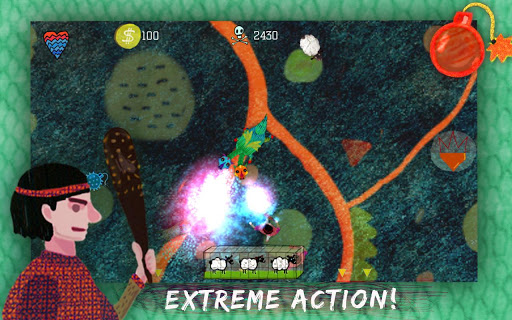
Description: You are a dragon, who really likes (to eat) sheep but it's not that easy to get them. The goats are guarded by many people who also need them for some reason. 
Feel like a hungry dragon, steal sheep and try to get away from loads of enemies. The collected sheep will help you to evaluate, to gain new abilities and become more powerful.
Main features:
-2 modes: "Story" and "Survival"
-27 levels in the "Story" mode
-global ranking system (SCORELOOP), which allows players to compete using different platforms (iOs, Android, Bada).